




Every feature, Free and Pro
Every way back
from a bad update.
WP Rollback undoes any plugin or theme update from WordPress.org, free. Pro brings the same one-click undo to your premium plugins and themes, plus the dashboard, history, reports and automation that agencies run on.
Freeon every siteProfor premium plugins, teams and clients

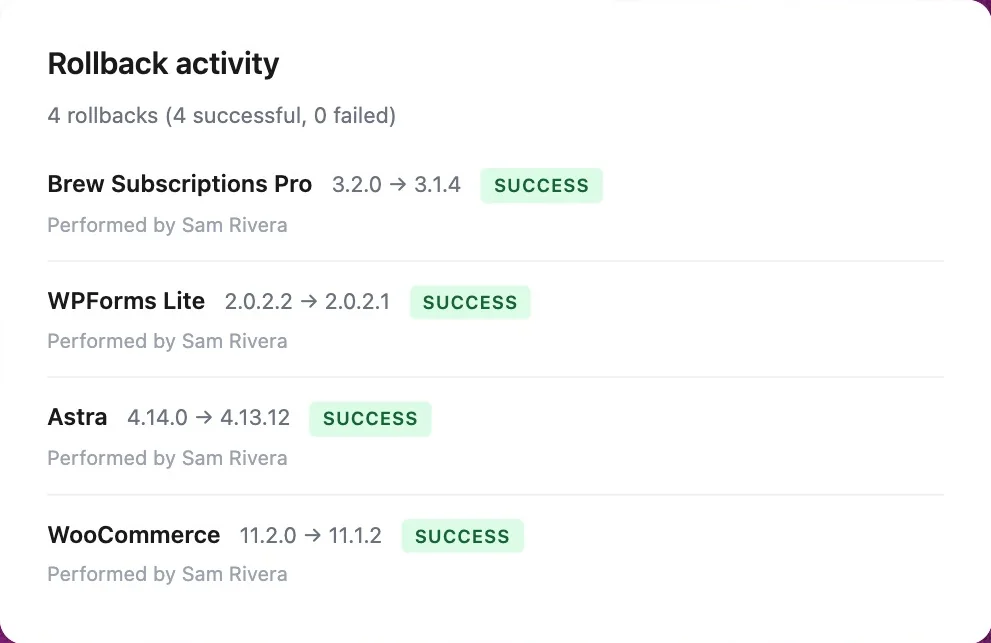
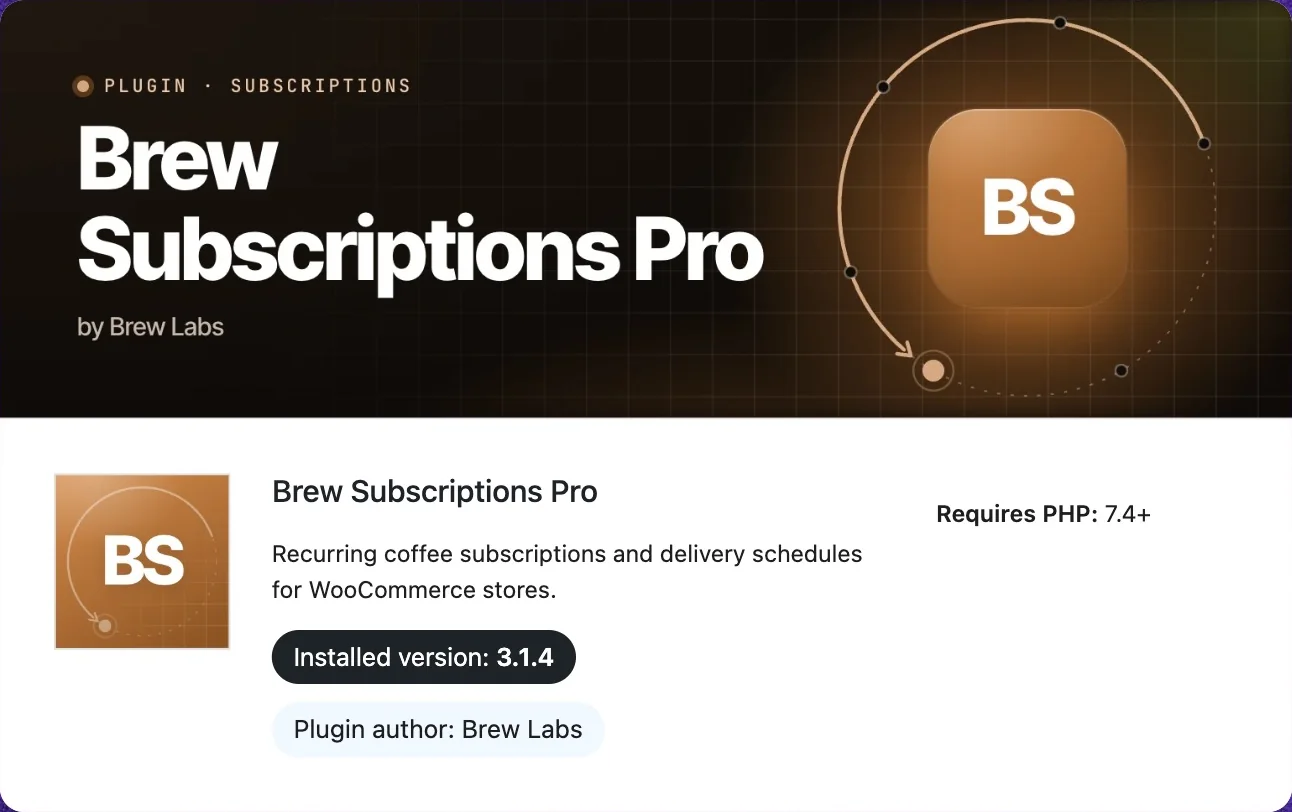
Pick a feature. See it working.
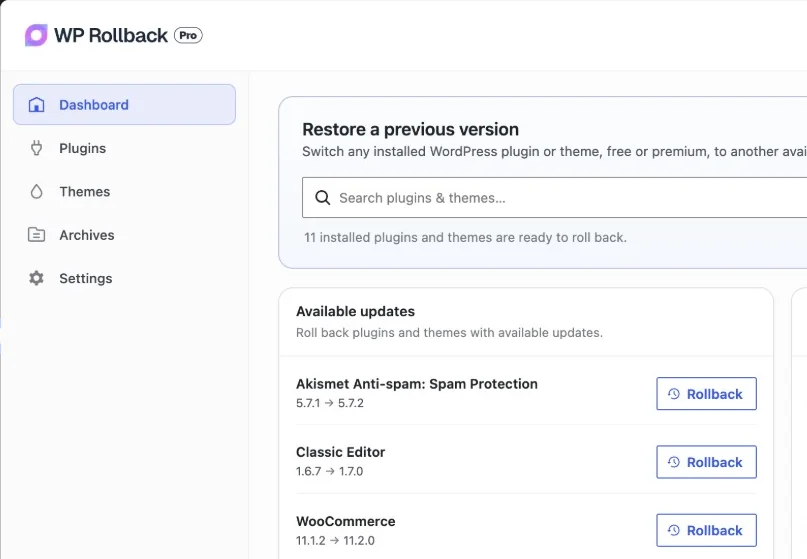
ProPlugin Vault and backupsRoll back the premium plugins and themes that WordPress.org doesn’t host.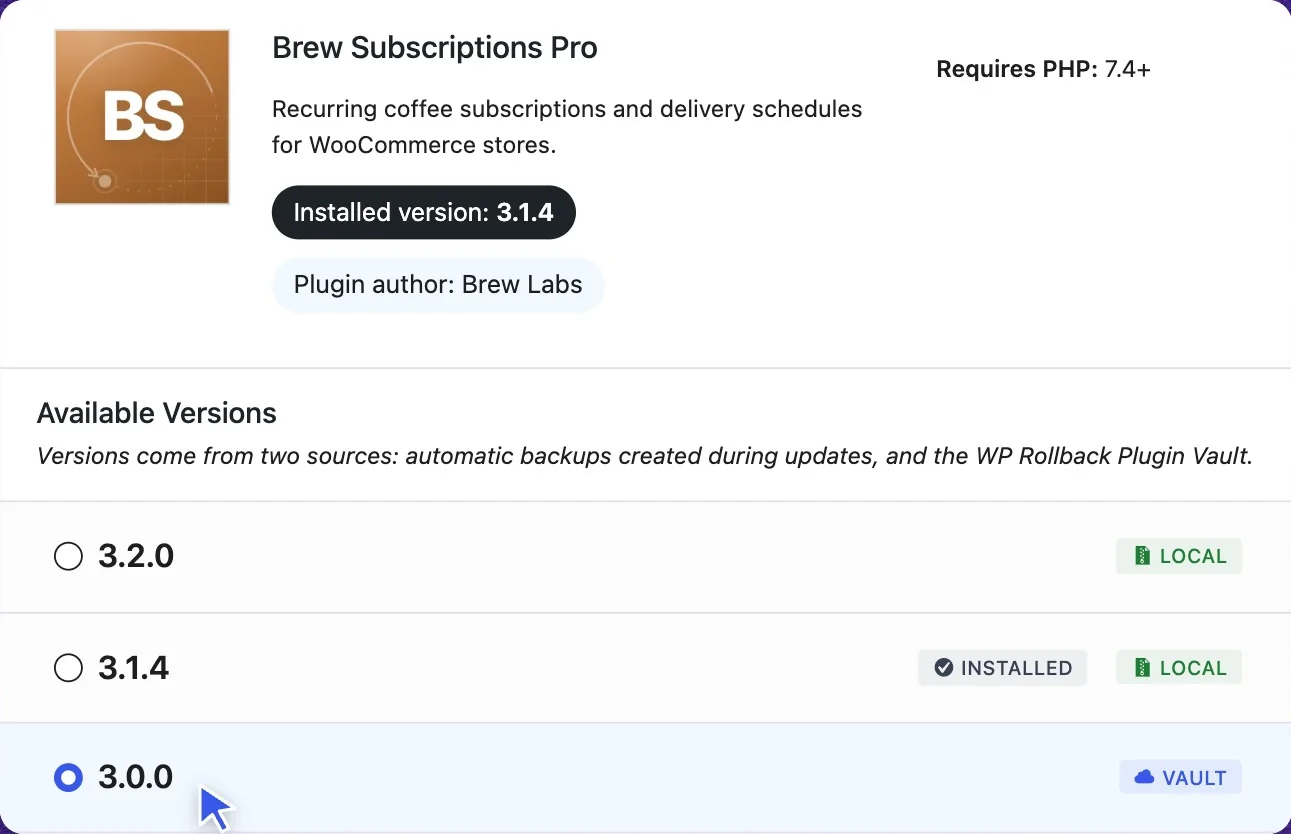 ProRollback dashboardSearch, roll back and see every waiting update from one screen.
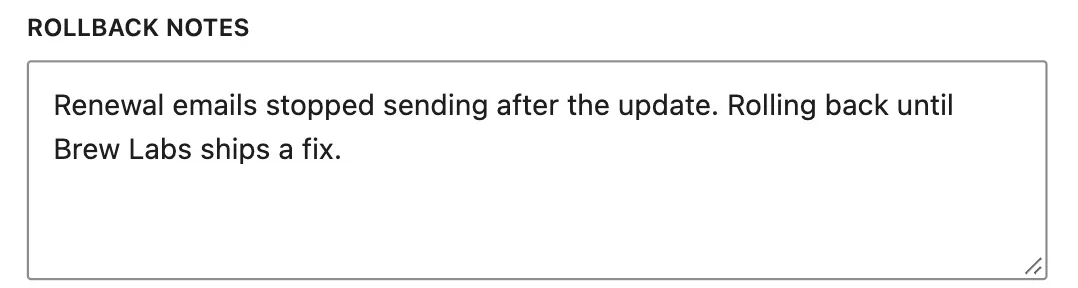 ProHistory and notesProWP-CLI and AI agents
 FreePlugin and theme rollbacksAny WordPress.org plugin or theme, back to any past release.
 ProEmail status reportsScheduled proof that a site is protected, for you, your team or your clients.Free and ProSafe rollbacksEvery package checked first, and your old version put back if anything fails.
 FreeCommand paletteFreeMultisite
ProRollback dashboardSearch, roll back and see every waiting update from one screen.ProHistory and notesProWP-CLI and AI agentsFreePlugin and theme rollbacksAny WordPress.org plugin or theme, back to any past release.ProEmail status reportsScheduled proof that a site is protected, for you, your team or your clients.Free and ProSafe rollbacksEvery package checked first, and your old version put back if anything fails.FreeCommand paletteFreeMultisiteFreeThe WP Rollback plugin
Roll back anything on WordPress.org, free.
Pick a version, click Rollback, and you’re on the release that worked. Only the plugin or theme files change, so posts, orders and settings stay exactly where they are.
Download freeUsed on 300,000+ sites


1. Pick a version
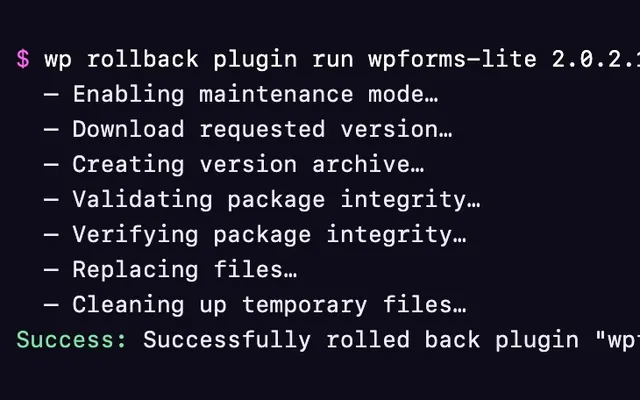
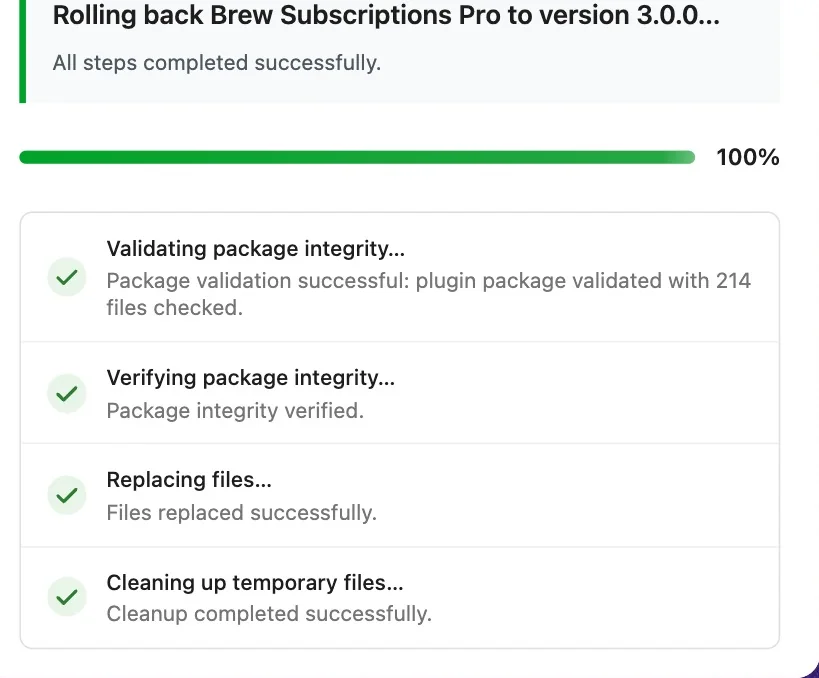
2. Every step checked
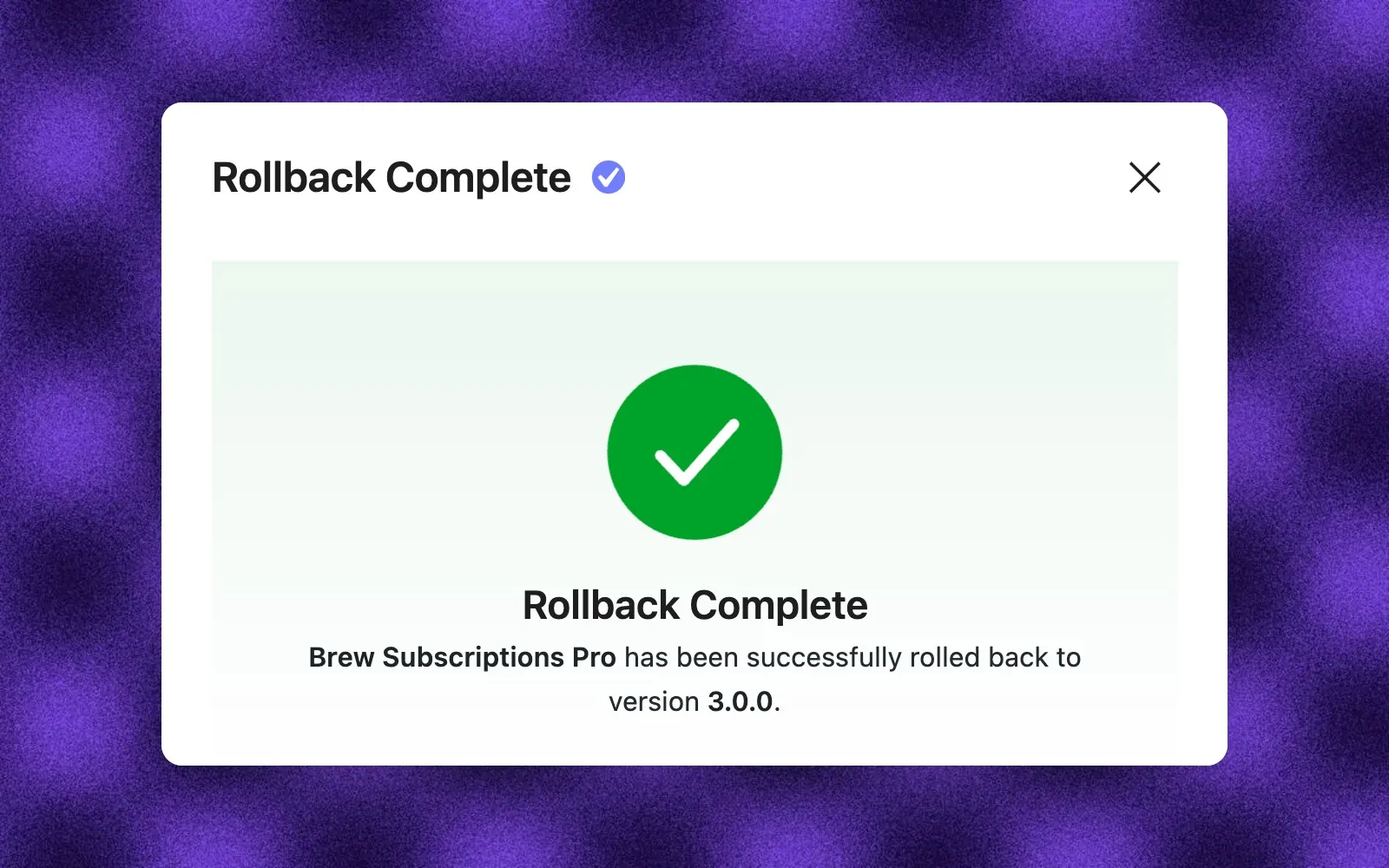
3. Back in business
Every version, one listEvery release of a plugin or theme, including trunk and pre-release builds.
Safe by defaultA maintenance page while files swap, and the version you had put back if the install fails.
Roll back from anywherePress ⌘K or Ctrl+K anywhere in wp-admin and type “rollback”.
Built for networksNetwork activate once, and Super Admins can roll back for every site.

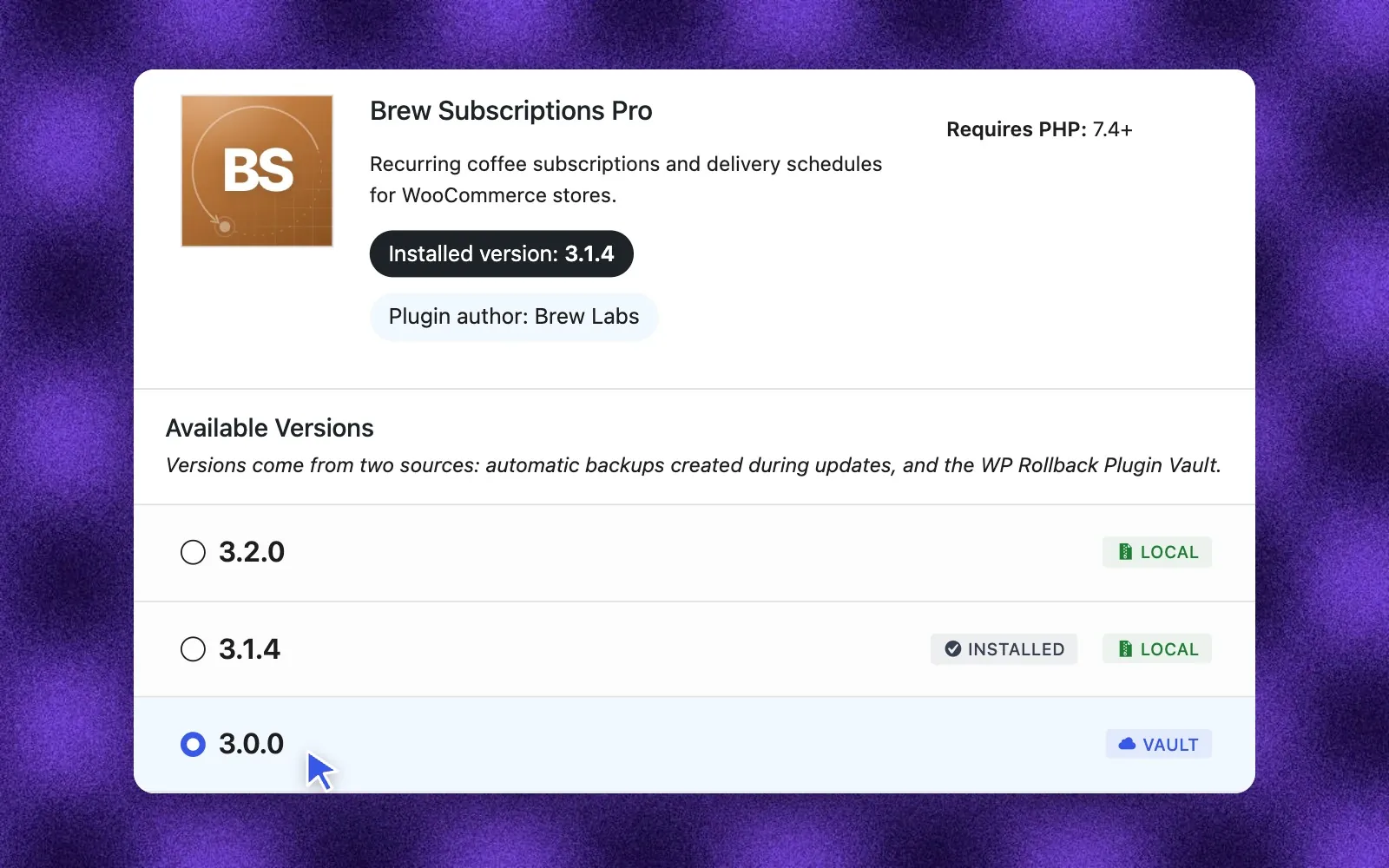
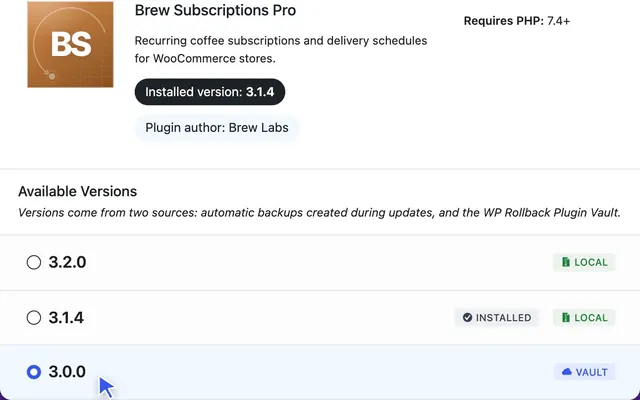
VAULTFrom the shared Plugin Vault, verified with SHA-256 checksums.
LOCALBacked up privately on your site before the update ran.
ProPremium plugins and themes
The plugins you paid for get a way back too.
WordPress.org can’t roll back premium plugins and themes. WP Rollback Pro can, from two places: Plugin Vault, a shared library of versions built by Pro sites, and a private backup taken on your site before every premium update.
Up to 100
backups kept per plugin or theme
Day one
Vault versions ready when you activate
Plugin VaultPast versions, no manual uploads
Automatic local backupsA private copy before every premium update
Archive managerDownload, restore or delete any backup
New in Pro 2.0
Every site’s rollbacks, handled from one place.
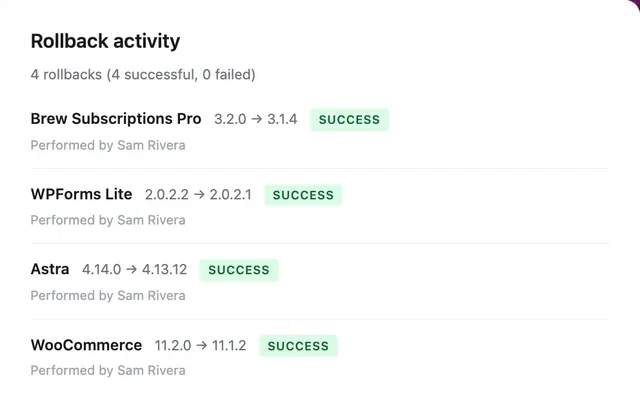
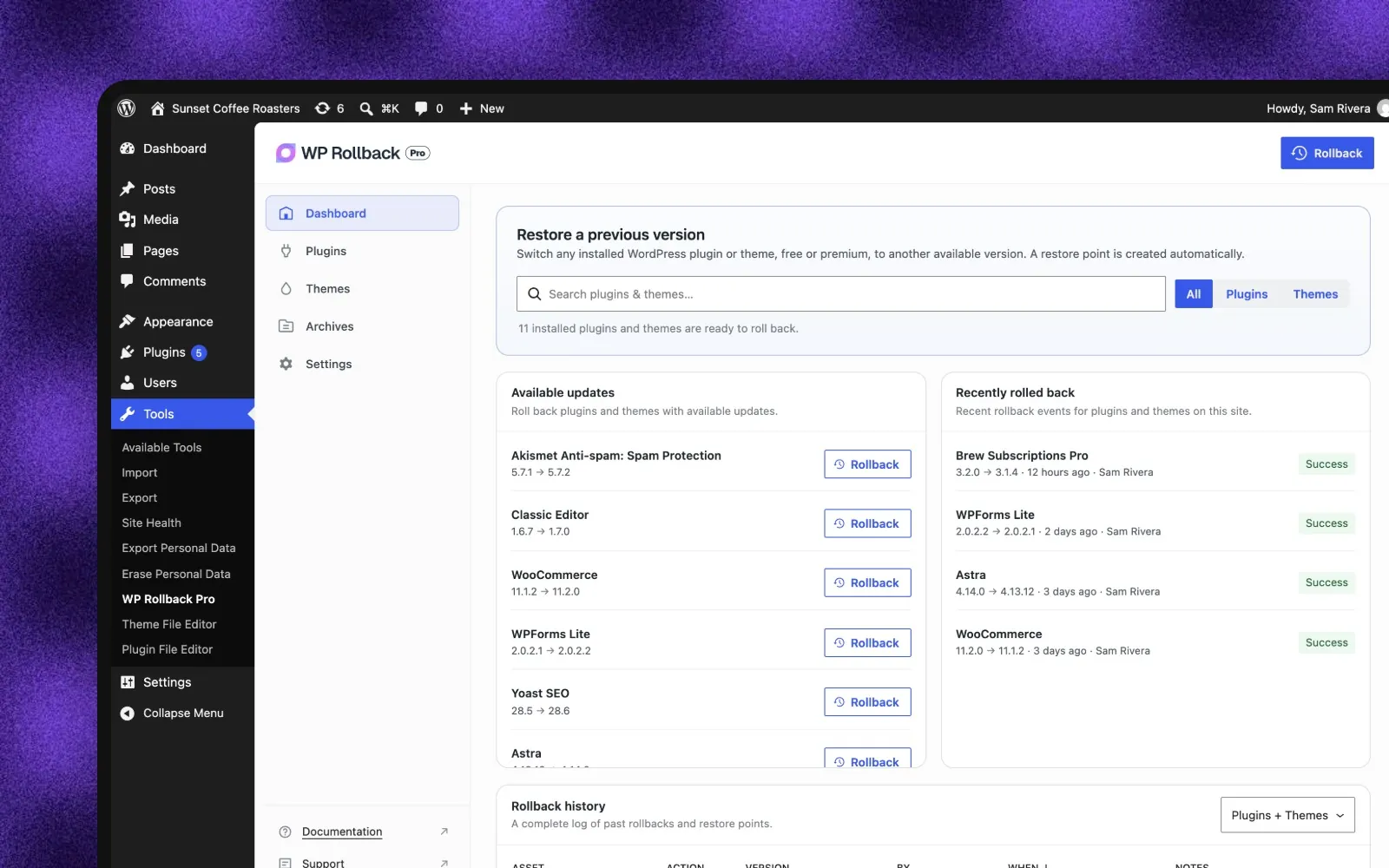
The rebuilt Pro dashboard, a history your whole team can read, reports clients actually open, commands for the terminal and AI agents, and dates that show what changed.
Every plugin, theme and update on one screen
Search any plugin or theme to roll it back, see which updates are waiting, and check your latest rollbacks without leaving the page.
- Restore search across every plugin and theme
- Available updates, each one a click from undone
- Recent rollbacks and their results at a glance

Start free. Go Pro when premium is in the mix.
The free plugin covers everything on WordPress.org. Pro adds premium plugins and themes, on every site you look after.
WP Rollback
FreeOn WordPress.org, for every site.
- Any WordPress.org plugin or theme
- Every past release, including betas
- Command palette and Multisite
- Automatic recovery if an install fails
- Backups saved before premium updates
WP Rollback Pro
ProEverything in Free, plus:
- Premium plugin and theme rollbacks
- Plugin Vault and up to 100 local backups
- Rollback dashboard, history and notes
- Email status reports for you or your clients
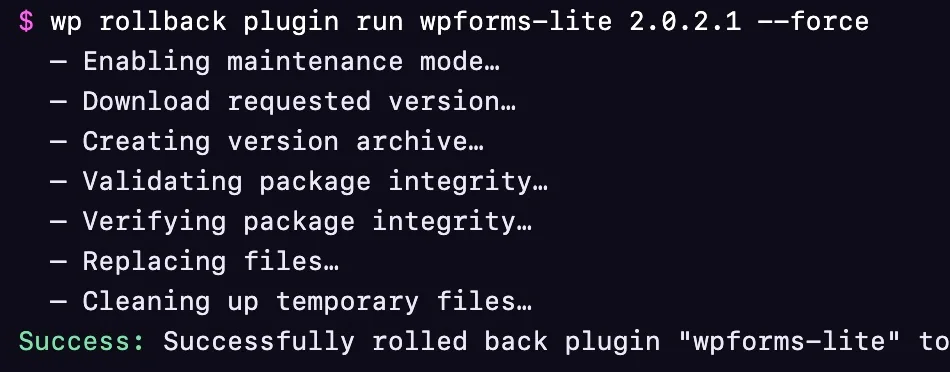
- WP-CLI commands and AI agent support
- Update and release dates beside every version
- Full package validation before files change
Compare every feature side by side
WP Rollback rolls back plugins and themes. It doesn’t restore your whole site or its database. See if Pro fits your problem


The next bad update is a 30-second fix.
Start with the free plugin, or go Pro to roll back premium plugins and themes on every site you manage.
“The DeLorean time machine of the plugins.”
