
Skip to content
WP Rollback
  • Pricing
Sign in Go Pro
Rollbacks Free
  • Plugin and theme rollbacks Any WordPress.org plugin or theme
  • Safe rollbacks Checked first, recovered if it fails
  • Command palette Roll back from anywhere with ⌘K
  • Multisite Roll back across a whole network
Pro tools Pro
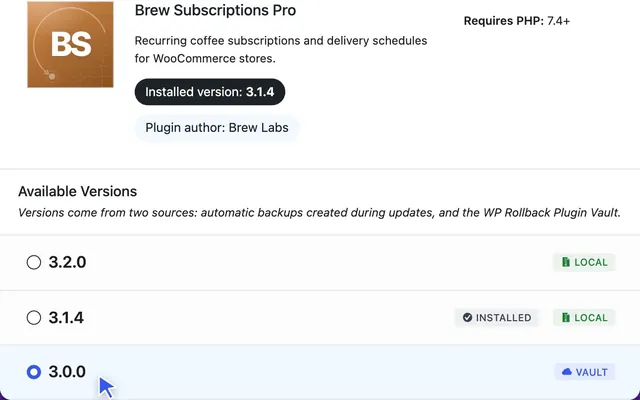
  • Plugin Vault and backups Premium plugins and themes, rolled back
  • Rollback dashboard New Every update and rollback, one screen
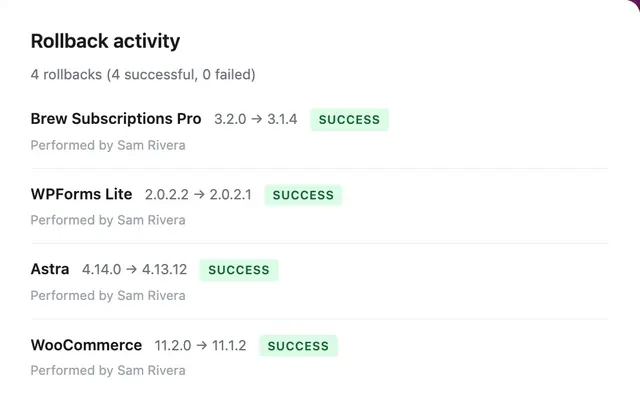
  • History and notes Who rolled back what, and why
  • Email status reports New Proof of protection, on a schedule
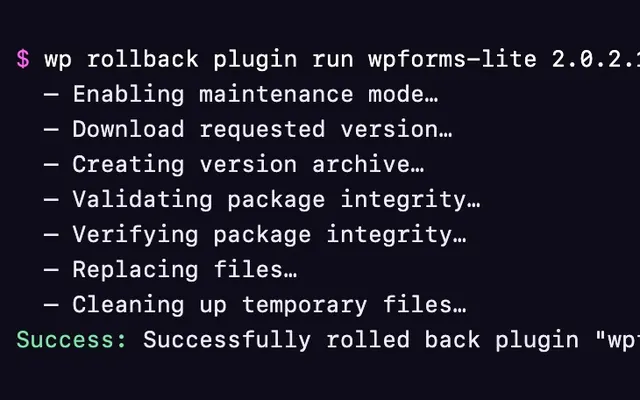
  • WP-CLI and AI agents New Roll back from a terminal or an agent
Plugin and theme rollbacks Roll any WordPress.org plugin or theme back to any past release, including betas. Explore rollbacks Safe rollbacks Every package is checked before a file changes, and the version you had comes back if an install fails. Explore safe rollbacks Command palette Press ⌘K or Ctrl+K anywhere in wp-admin, type “rollback”, and jump to any plugin or theme. Explore the command palette Multisite Network activate once, and Super Admins can roll back plugins and themes for every site. Explore Multisite Plugin Vault and backups Roll back premium plugins and themes from a shared library built by Pro sites, or from your own backups. Explore Plugin Vault Rollback dashboard Search any plugin or theme, see waiting updates, and review recent rollbacks from one screen. Explore the dashboard History and notes Every rollback logged with its versions, who ran it, when, and the note that explains why. Explore history and notes Email status reports Weekly, monthly or quarterly reports for you, your team or your clients. Explore email reports WP-CLI and AI agents Run rollbacks from the terminal or a deploy script, or let an AI agent do it through the Abilities API. Explore WP-CLI and AI agents
New in 2.0 Rebuilt dashboard, email reports & AI agent support
All features Compare Free vs Pro
Get started
  • Introduction
  • How rollbacks work
  • System requirements
  • Multisite guide
Guides
  • Plugin rollbacks
  • Theme rollbacks
  • Command palette
  • Troubleshooting
  • FAQ
Pro features Pro
  • Plugin Vault
  • Dashboard
  • Status report emails
  • WP-CLI
  • Licensing
WP Rollback Pro Roll back premium plugins too. Plugin Vault keeps past versions of premium plugins and themes, so you can roll back the ones WordPress.org doesn’t host. Get WP Rollback Pro Compare Free vs Pro
Developer guide Can’t find it? Get support
Browse all docs
Help
  • Support Guided help and Pro support
  • Community forum Ask on WordPress.org
  • Customer dashboard Manage your license and downloads
  • Blog Product news, how-tos and release notes
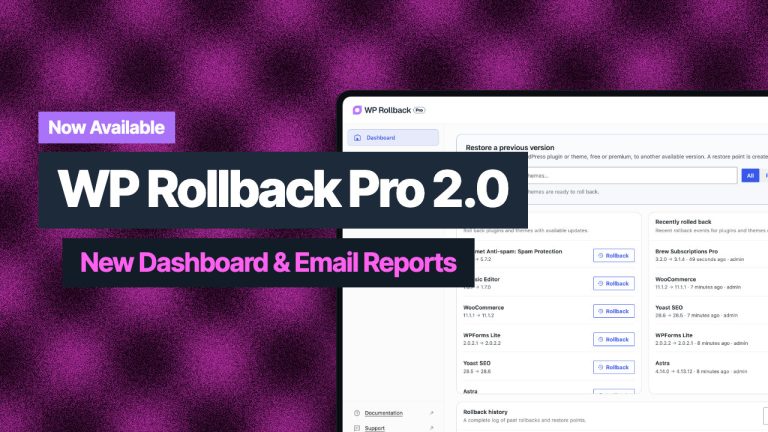
From the blog What’s New in WP Rollback Pro 2.0: A New Dashboard, Email Reports, and Safer Rollbacks Oct 7, 2026·5 min read
Features
Rollbacks Free
  • Plugin and theme rollbacks
  • Safe rollbacks
  • Command palette
  • Multisite
Pro tools Pro
  • Plugin Vault and backups
  • Rollback dashboard New
  • History and notes
  • Email status reports New
  • WP-CLI and AI agents New
All features
Pricing
Docs
Get started
  • Introduction
  • How rollbacks work
  • System requirements
  • Multisite guide
Guides
  • Plugin rollbacks
  • Theme rollbacks
  • Command palette
  • Troubleshooting
  • FAQ
Pro features Pro
  • Plugin Vault
  • Dashboard
  • Status report emails
  • WP-CLI
  • Licensing
Browse all docs
Resources
Help
  • Support
  • Community forum
  • Customer dashboard
  • Blog
Sign in Go Pro
  • Features
  • Pricing
  • Docs
  • Support
  • Blog
WP Rollback
Always Free and Open Source

Our commitment to the WordPress community remains strong with our free version that has helped over 300,000 active sites manage plugin and theme versions for more than 10 years.

Made with ❤️ in San Diego, California

  • Terms of Service
  • Privacy Policy
NEW VERSION

Download WP Rollback: Free Version