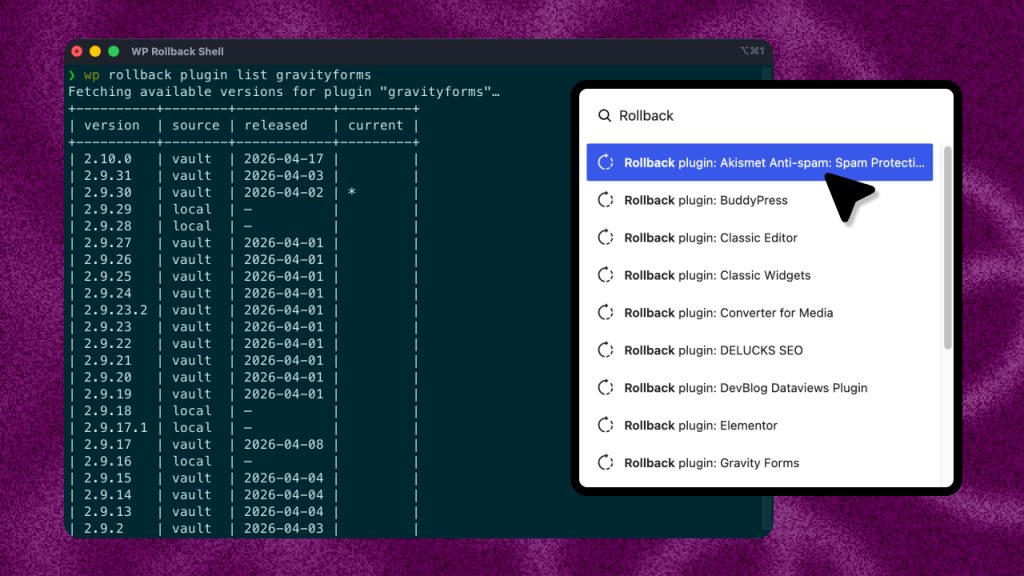




WP Rollback Pro launched a little over a year ago with one goal: let you roll back premium plugins and themes the same way you roll back anything from WordPress.org. Since then we’ve added Plugin Vault, WP-CLI support, and the Command Palette.
2.0 is the biggest update since launch.
There’s a new dashboard that puts every rollback on one screen. Pro can now email you (and your clients) a regular report on what it’s protecting. And a rollback that fails partway through no longer leaves your site broken.
Here’s what’s new, most important first.
A new dashboard for every rollback
Go to “Tools → WP Rollback Pro” and you’ll land on the new dashboard. Everything you need for a rollback is on one screen.
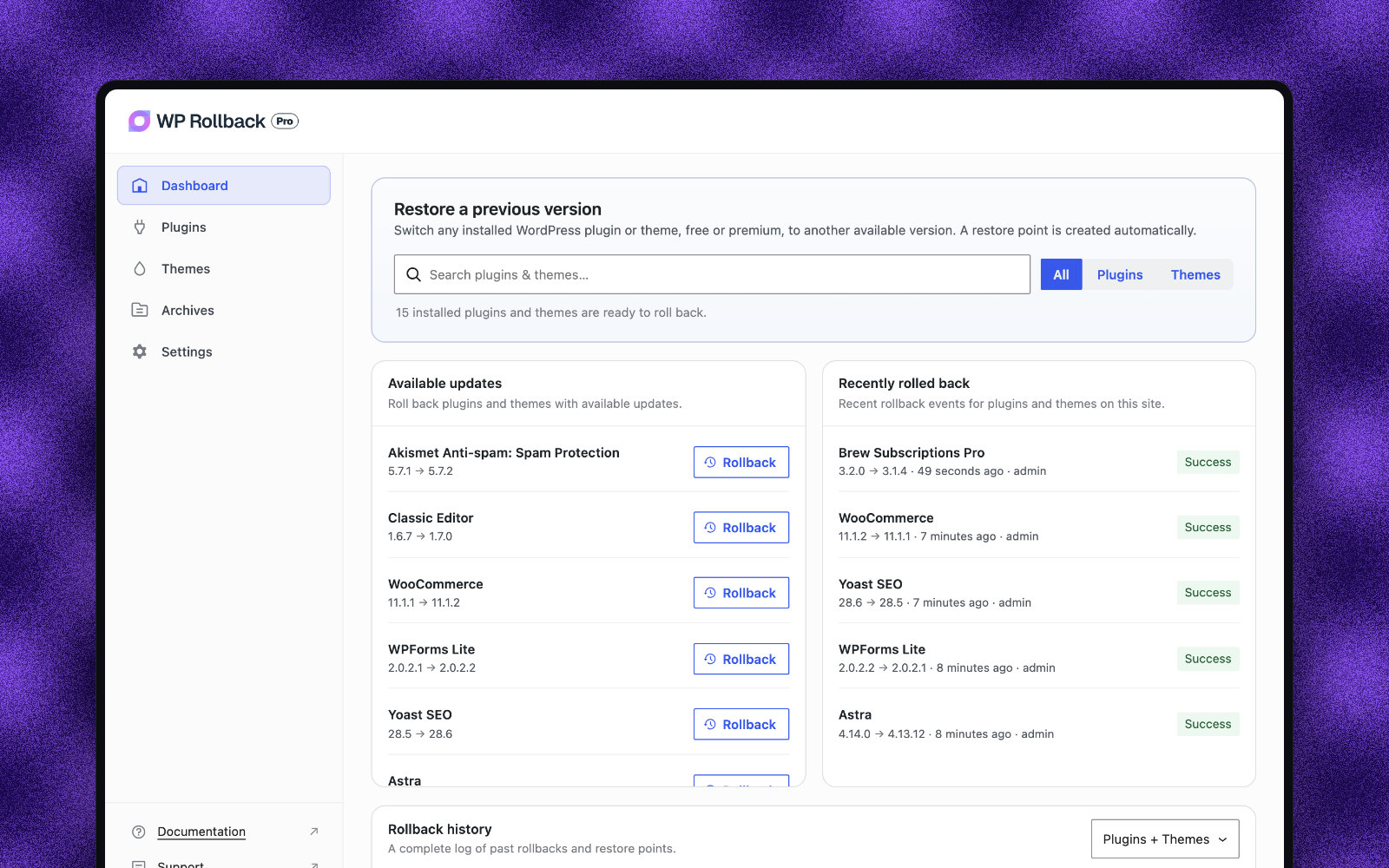
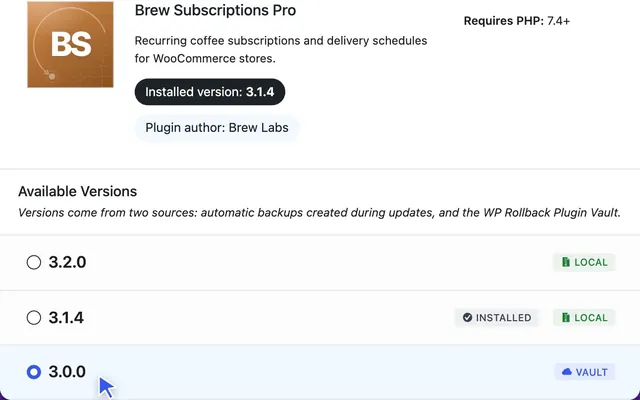
- “Restore a previous version” searches every plugin and theme on the site, free or premium. Pick one, choose a version, and Pro creates a restore point before it changes anything.
- “Available updates” lists everything with an update waiting, each with a “Rollback” button that opens its version list.
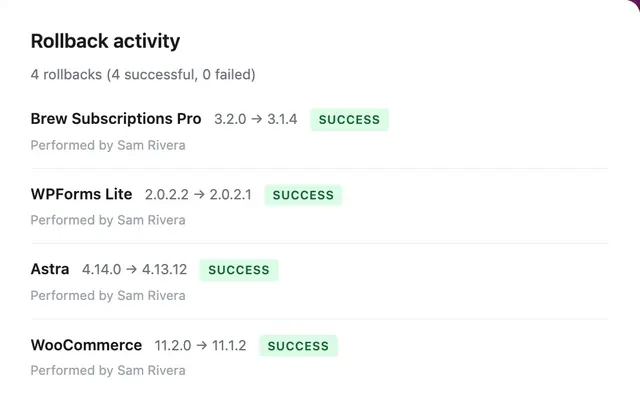
- “Recently rolled back” shows the latest rollbacks on the site, who ran them, and whether they worked.
- “Rollback history” is the full log, with search, a plugins and themes filter, and your rollback notes right in the table.
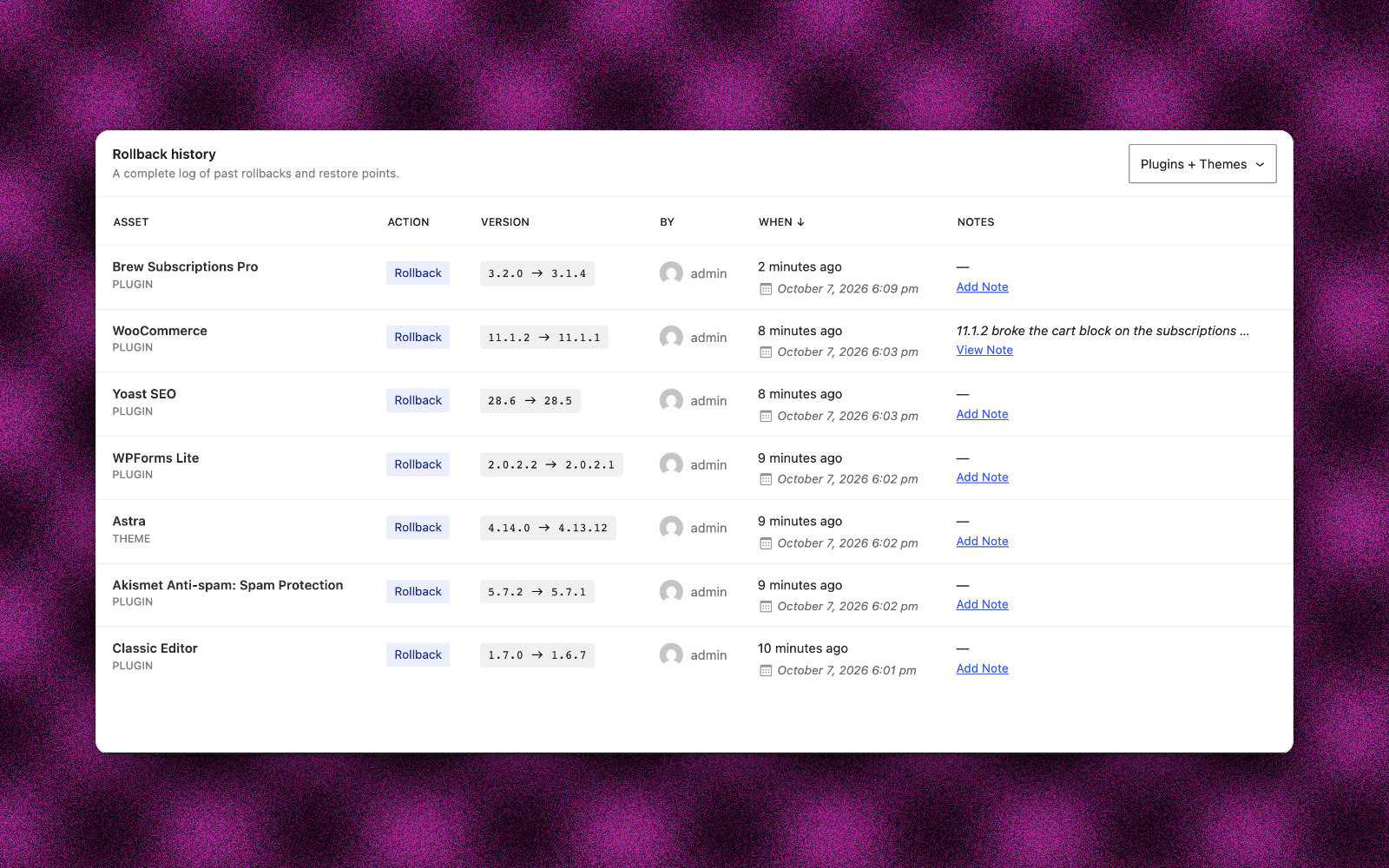
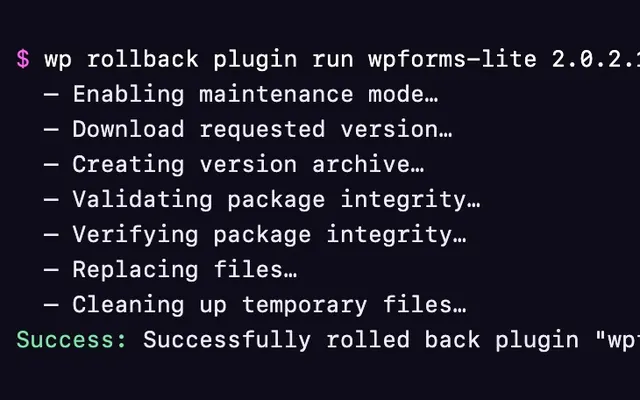
Rollbacks you run from WP-CLI now show up in the history too, so the log is complete no matter where a rollback started.
Email reports for you and your clients
If you manage client sites, this one’s for you.
WP Rollback Pro can now email a status report weekly, monthly, or quarterly. Each report shows what Pro is protecting on the site: how many local backups you have, how much disk space they use, and every rollback from that period, including who ran it and whether it worked.
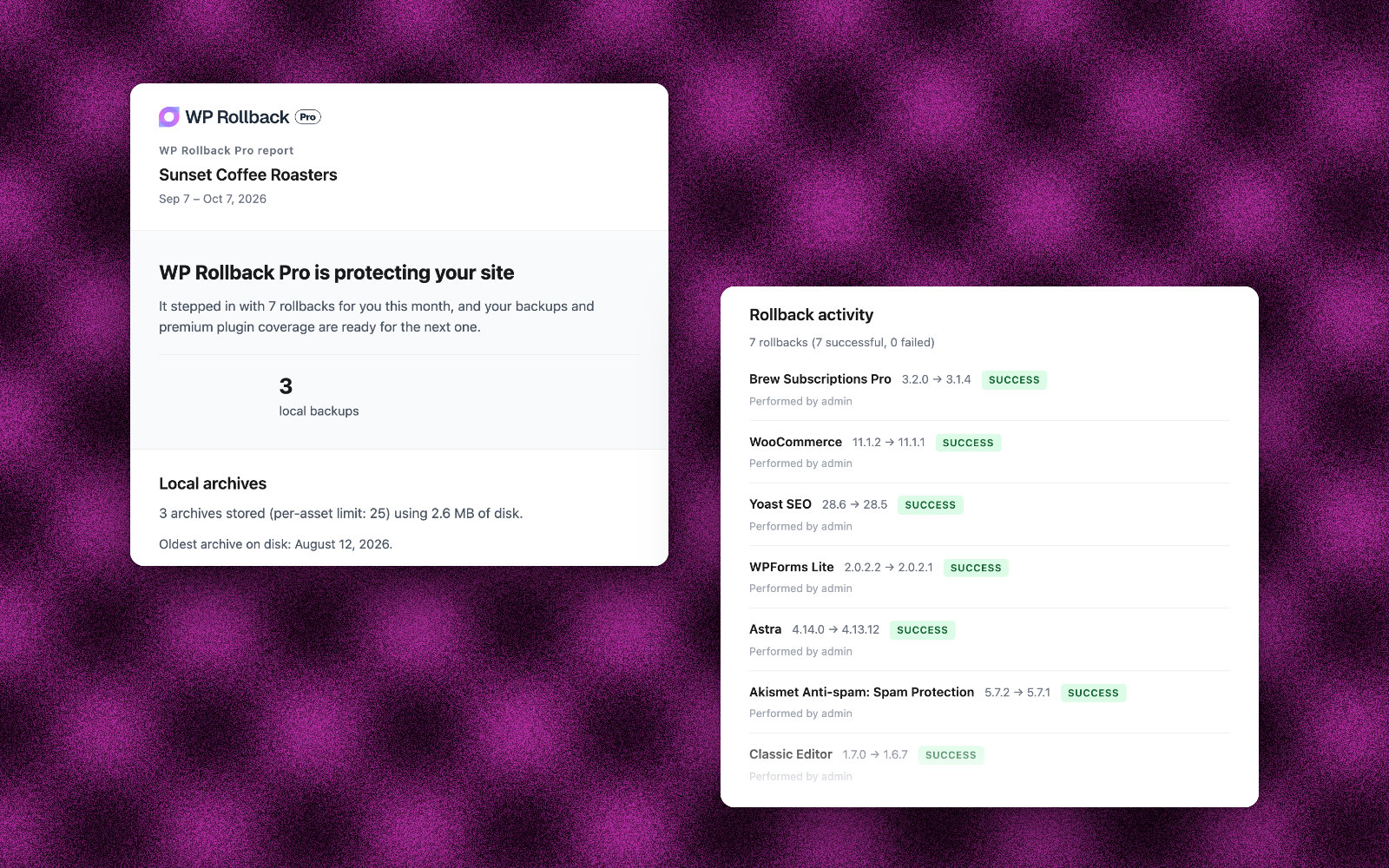
Reports also call out anything that needs a look:
- A plugin or theme that’s close to its archive limit
- Rollbacks that failed during the period
- Scheduled tasks (WP-Cron) that aren’t running on time
Send them to your site’s admins, your teammates, or a client who doesn’t have a WordPress login. Every recipient gets their own one-click unsubscribe link, and the “Send test report” button lets you preview a report whenever you want.
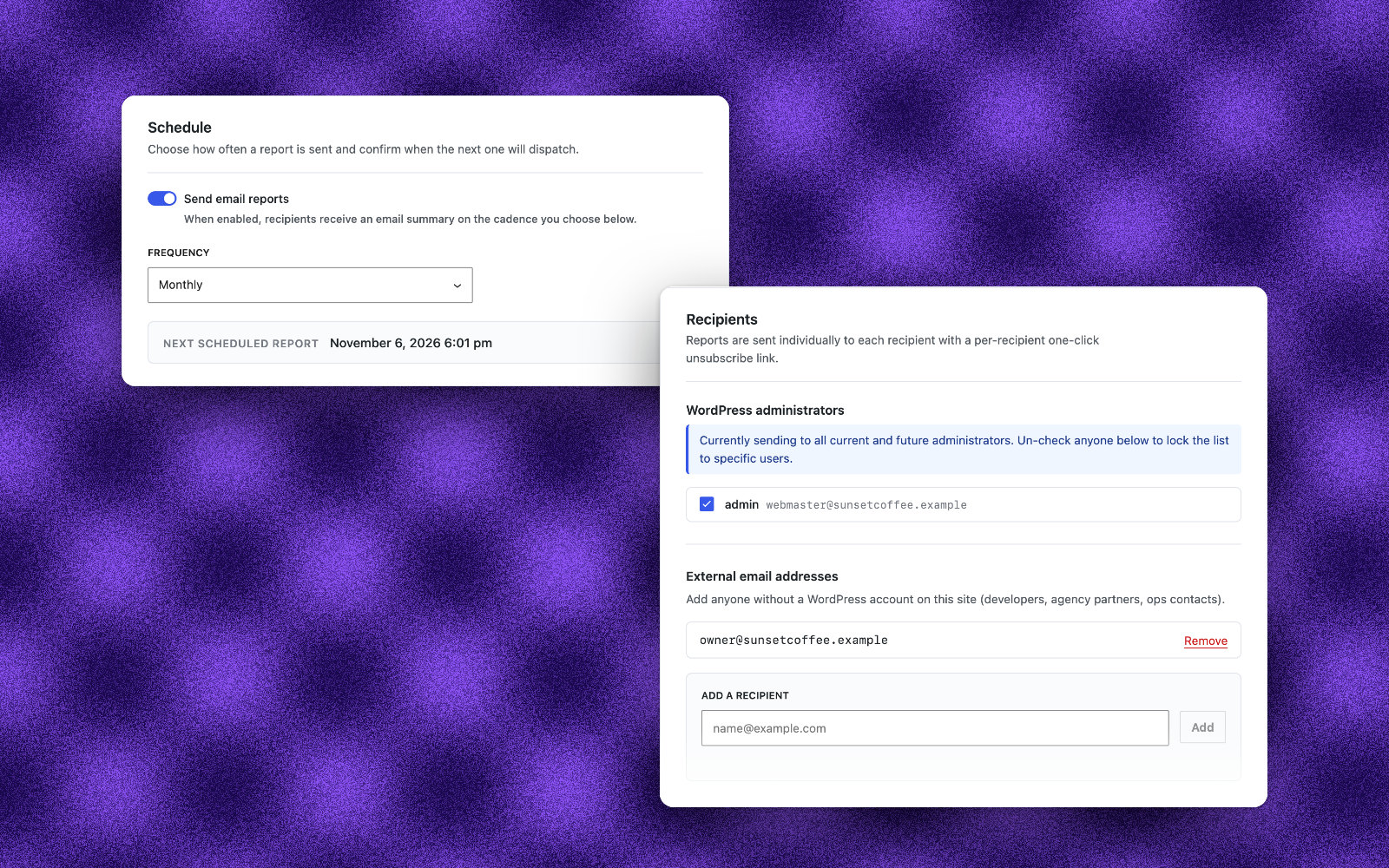
Heads up: reports are on by default and go out monthly to every admin on the site, starting a month after you update. If you manage client sites, check the recipient list under “Tools → WP Rollback Pro → Settings → Email Reports” before the first one goes out.
Safer rollbacks when something goes wrong
A rollback should never leave a site worse off than it found it. We spent a lot of this release on what happens when a rollback fails partway through:
- If a download times out or a step fails, visitors are no longer stuck on the maintenance page. That includes rollbacks run from WP-CLI.
- If the new files can’t be unzipped, the version you had is put back instead of being left deleted.
- A theme rollback that fails, like one from a damaged backup, no longer leaves your site without its theme.
- Rolling back a premium plugin no longer leaves the newer version’s files behind.
- A successful rollback no longer reports a “critical error” or leaves visitors on the maintenance page.
- When a PHP error stops a rollback, you now see the actual error and where to look instead of raw HTML code.
Rollbacks also work in more places now: plugins with date-style version numbers (like Theme Check), plugins whose folder you renamed to disable them during a conflict, servers without PHP’s Zip extension, and Windows servers.
Let AI agents handle rollbacks
WordPress 6.9 added the Abilities API, a standard way for plugins to tell AI agents and other tools what they can do. On WordPress 6.9 and later, WP Rollback Pro registers three abilities:
| Ability | What it does |
|---|---|
wp-rollback/get-versions | Lists every available version of a plugin or theme, newest first, and where each one comes from (WordPress.org, a local backup, or Plugin Vault) |
wp-rollback/rollback | Rolls back a plugin or theme using the same steps as the admin screen |
wp-rollback/get-history | Reads your rollback history |
If you connect an AI assistant to your site, you can ask it which versions of WooCommerce are available and have it roll back to one. The abilities follow the same permissions as the admin screen, so only users who can update plugins or themes can roll them back.
WP-CLI improvements
- Rollbacks run with WP-CLI now show up in “Rollback history.”
- WP-CLI can restore premium plugins and themes from their local backups instead of failing to download them.
- After a failed rollback, the next run installs the version you asked for, not the leftover download.
- If the plugin or theme isn’t installed, WP-CLI stops with a clear message instead of installing it.
Security and privacy
- Backups now live in a private folder with a hard-to-guess name. Your existing backups move over automatically when you update.
- Archive downloads are locked to WP Rollback’s own backup folder.
- The Activity Log works with WordPress’s “Export Personal Data” and “Erase Personal Data” tools.
Smaller things you’ll notice
- Activating Pro switches off the free version of WP Rollback for you. Your rollback history and backups carry right over.
- Pages load a little faster, and restoring a large plugin from a local backup finishes sooner.
- The Activity Log sticks to rollbacks and restore points, without the noise of routine installs and updates.
- Archives, Email Reports, and License now share one consistent settings layout.
- Other plugins’ admin notices no longer clutter WP Rollback Pro screens.
- Dates and times follow your site’s date, time, and timezone settings.
- Every part of Pro can be translated, including the rollback screens and progress messages.
- Tested up to WordPress 7.1.
Those are the highlights. The changelog has all 49 changes, including 30 fixes.
Updating to 2.0
Update from “Dashboard → Updates” like any other plugin, or download the latest ZIP from your account. If you also have the free WP Rollback installed, Pro 2.0 switches it off for you, so there’s nothing else to do.
A big thank you to Ravinder Kumar, who wrote the majority of the code in this release, and to everyone who sent in bug reports. Several of the fixes above started as support tickets.
Take the new dashboard for a spin and let us know what you think. 🚀