



We’re excited to announce the latest updates to WP Rollback: version 3.0.9 (Free) and version 1.1.4 (Pro). This release brings back a highly requested feature that gives you more control over your WordPress plugin versions—the ability to roll back to Trunk, Beta, Alpha, and Release Candidate (RC) versions.
What Are Pre-Release Versions?
Before we dive into why this matters, let’s clarify what these pre-release versions actually are:
Trunk Versions
In WordPress plugin development, “trunk” refers to the main development branch where the most current code changes live. Think of it as the bleeding edge of development—where new features are being actively built and tested before they’re packaged into official releases.
Trunk represents:
- The latest development code
- Unreleased features and improvements
- Real-time bug fixes that haven’t made it to a stable release yet
- The most current state of the plugin’s codebase
Important Note: According to WordPress.org’s official SVN documentation, not all plugin and theme authors use trunk as intended. While best practices dictate that trunk should contain the latest development code, many developers use it merely as a placeholder or don’t maintain it properly. This inconsistency means you should exercise extreme caution when rolling back to trunk versions and never use them in production without extensive testing first.
Beta Versions
Beta versions are pre-release builds where features are complete but still undergoing testing and refinement. They’re tagged with “-beta” in their version numbers (e.g., “15.1-beta”, “15.1-beta.2”).
Beta versions are:
- Feature-complete but potentially unstable
- Actively being tested for bugs
- Great for testing upcoming features
- More stable than alpha but less stable than RC
Alpha Versions
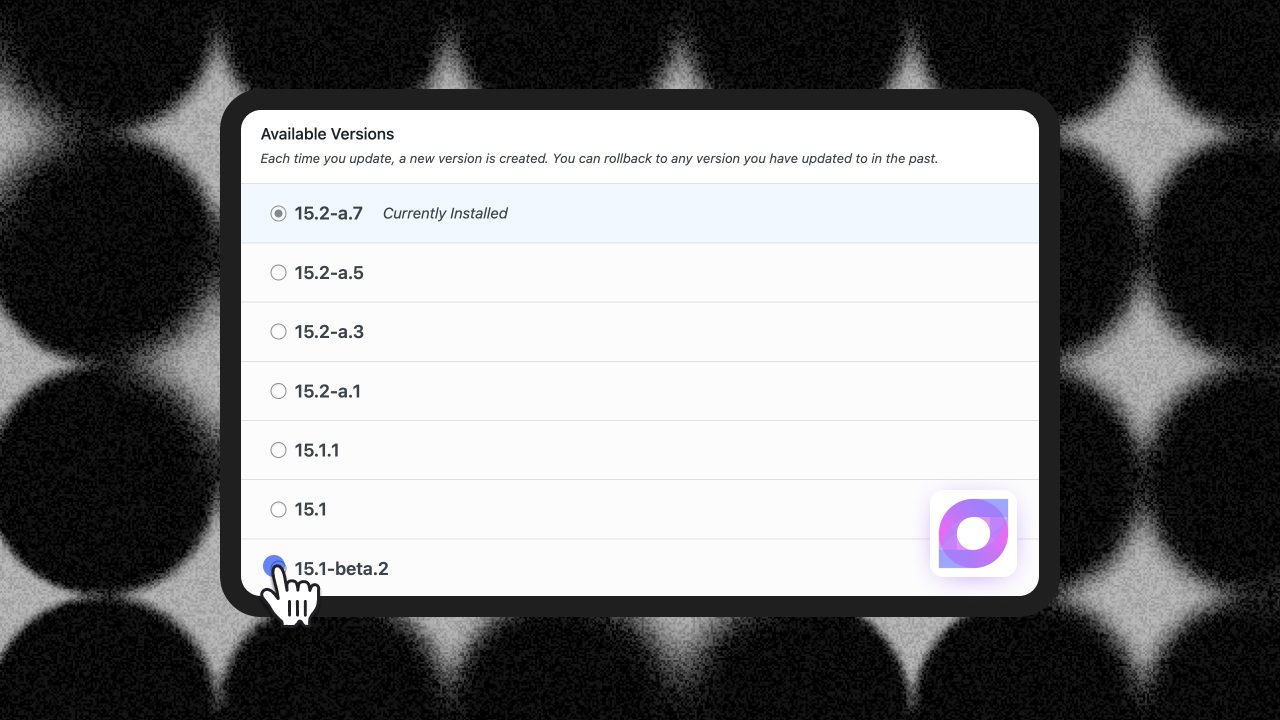
Alpha versions are early pre-release builds used for initial testing. They’re often tagged with “-a” or “-alpha” (e.g., “15.2-a.7”, “15.2-a.5”).
Alpha versions are:
- Early-stage development releases
- May contain incomplete features
- Primarily for developer testing
- Less stable than beta versions
Release Candidate (RC) Versions
Release Candidates are pre-release versions that are feature-complete and undergoing final testing before becoming stable releases. They’re tagged with “-RC” in their version numbers (e.g., “2.5.0-RC1”).
RC versions are:
- Nearly production-ready
- Feature-complete for the upcoming release
- Undergoing final bug testing and polish
- A preview of what’s coming in the next stable version
Why Would You Want to Roll Back to Pre-Release Versions?
You might be wondering: “Why would I want to install unstable code on my site?” Great question! Here are some compelling use cases:
1. Testing Critical Bug Fixes Before Official Release
Imagine this scenario: You’ve discovered a bug in a plugin that’s affecting your production site. The plugin developer has already fixed it in their development branch, but the official release won’t be ready for another week. With WP Rollback, you can:
- Install the trunk version to get the fix immediately
- Test the fix in your staging environment
- Restore normal operations without waiting for the official release
2. Preview and Test New Features
As a plugin developer or agency owner, staying ahead of changes is crucial. Beta and RC versions let you:
- Test upcoming features before they go live
- Ensure compatibility with your custom code
- Prepare your clients for new functionality
- Provide feedback to plugin authors before final release
- Evaluate new functionality risk-free in staging environments
3. Debugging and Troubleshooting
When reporting bugs to plugin developers, they often ask: “Can you test if this is fixed in our development version?” Now you can easily:
- Switch to trunk to verify if a bug has been resolved
- Provide accurate, up-to-date feedback to developers
- Help improve the plugins you rely on
4. Development and Staging Environments
For development work, pre-release versions are invaluable:
- Test your custom integrations against upcoming changes
- Identify compatibility issues early with alpha and beta versions
- Ensure your themes and custom plugins will work with future releases
- Stay proactive rather than reactive with updates
- Use RC versions for final compatibility testing before stable releases
5. Early Access to Security Patches
Sometimes security vulnerabilities are fixed in the development branch before the official patched version is released. Having access to trunk means you can:
- Apply security fixes immediately when they’re committed
- Protect your site while waiting for the official release
- Reduce your window of vulnerability
How to Use Pre-Release Version Rollback in WP Rollback
Using this new feature is simple and follows the same intuitive process you’re already familiar with:
- Navigate to your Plugins page in WordPress admin
- Click “Rollback” on any plugin that supports it
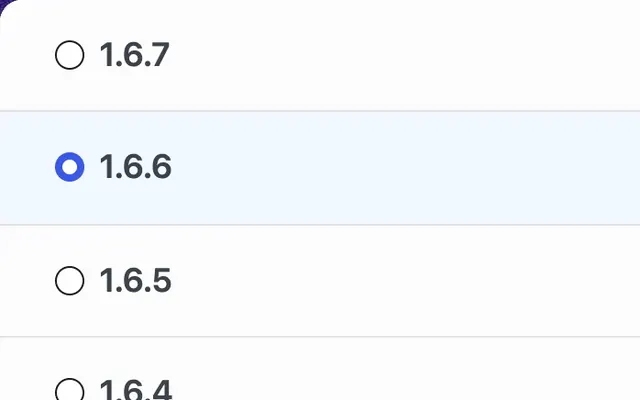
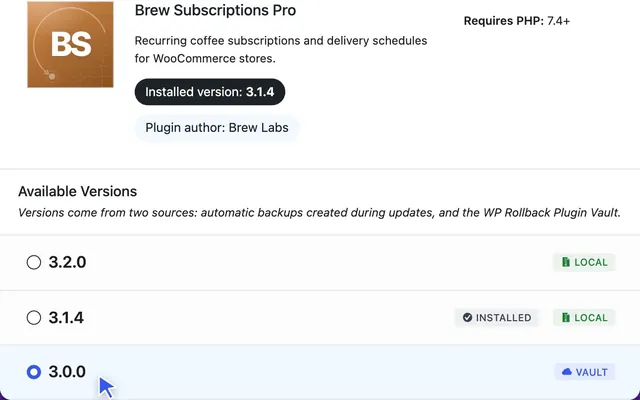
- Look for pre-release versions in the version list – they’re typically labeled with tags like “-beta.2”, “-a.7”, “-RC1”, or “trunk”
- Versions are intelligently sorted – stable releases appear first, followed by pre-release versions (beta, alpha, RC), with trunk at the very bottom
- Read the trunk info by hovering over the info icon—it explains exactly what you’re about to install
- Select your version and proceed with the rollback
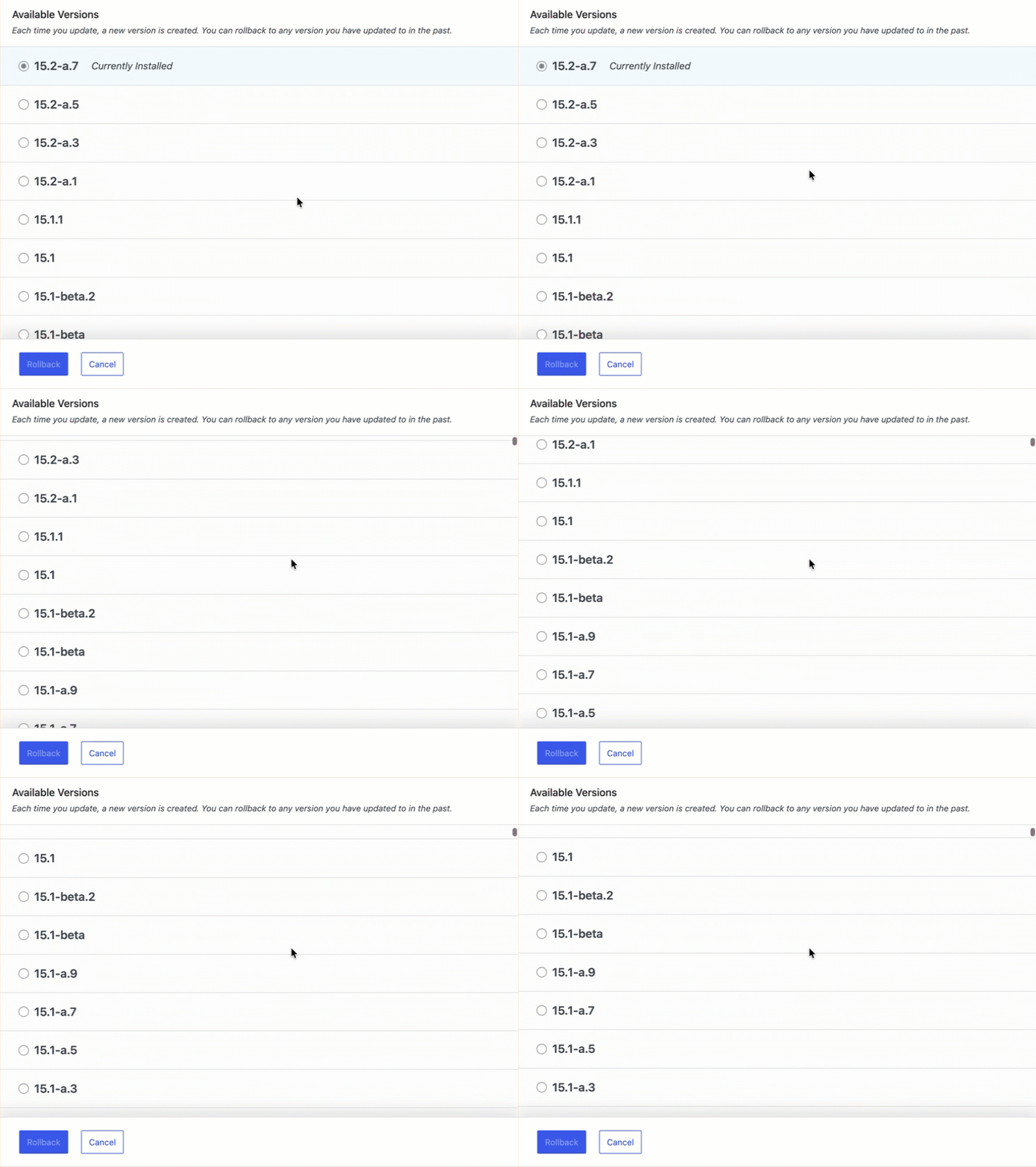
Smart Version Sorting
WP Rollback now features an intelligent sorting algorithm that properly orders all version types:
- Stable versions first: Latest stable release at the top (e.g., “15.2”)
- Pre-releases by base version: All 15.1 versions grouped together before 15.0 versions
- Alpha → Beta → RC progression: For the same base version, pre-releases are ordered logically
- Trunk always last: Easy to find when you need the absolute latest development code
Example sorting for Jetpack:
15.2        (stable - newest)
15.2-a.7    (alpha)
15.2-a.5    (alpha)
15.1.1      (stable)
15.1        (stable)
15.1-beta.2 (beta)
15.1-beta   (beta)
15.1-a.11   (alpha)
...
trunk       (development)
Important Considerations
While pre-release versions offer powerful capabilities, here are some important things to keep in mind:
⚠️ Use on Staging First
Pre-release versions are not production-ready by definition. Always:
- Test on staging or development sites first
- Never install trunk versions directly on production without extensive testing
- Keep backups before installing development code
- Remember that trunk may not be maintained consistently across all plugins and themes
⚠️ Not All Developers Maintain Trunk Properly
As noted in the WordPress.org SVN documentation, while trunk should contain the latest development code, many plugin and theme authors use it inconsistently:
- Some use trunk merely as a placeholder
- Others may not update trunk regularly
- Trunk might contain outdated, incomplete, or broken code
- There’s no guarantee trunk represents active development
Always verify the plugin’s repository activity before rolling back to trunk.
???? Understanding Trunk in SVN vs Git
It’s important to understand that WordPress.org’s SVN is a release repository, not a development system. According to the official documentation, developers should only push finished changes to SVN, not every small change like they would with Git:
- Trunk typically contains completed development work, not constant incremental changes
- Developers should push finished changes only, not work-in-progress commits
- Updates to trunk happen when features or fixes are complete and ready for testing
- Trunk represents the “latest and greatest” code, but changes less frequently than a Git development branch
???? Track Your Changes
When using pre-release versions:
- Document which version you’re running (e.g., “15.1-beta.2”)
- Note the date you installed it
- Monitor the plugin’s changelog or repository for updates
- Plan to move to the stable version once it’s released
- Be aware of the stability level (alpha < beta < RC < stable)
???? Communicate with Developers
If you’re using pre-release versions:
- Provide feedback to plugin developers
- Report any bugs you encounter (especially critical for alpha/beta versions)
- Help improve the plugin ecosystem
- Remember you’re essentially beta testing
- Specify the exact version (including pre-release tag) when reporting issues
Perfect for Developers and Agencies
This feature is particularly valuable for:
- WordPress Developers: Test your custom code against upcoming plugin changes
- Agencies: Verify client sites will work with upcoming updates
- Plugin Developers: Test integrations between multiple plugins
- Site Administrators: Access critical fixes immediately
- QA Testers: Provide feedback on pre-release versions
Additional Improvements in This Release
Beyond pre-release version support, version 1.1.4 (Pro) and 3.0.9 (Free) also include:
- Smart Version Sorting: Advanced algorithm properly orders stable, beta, alpha, RC, and trunk versions
- Support for All Pre-Release Formats: Handles various version formats including
15.1-beta.2,15.2-a.7,2.5.0-RC1, and more - Better Visual Feedback: Added a smooth rotating animation to loading indicators
- WordPress 6.9 Compatibility: Fully tested and compatible with the latest WordPress version
- Optimized Code: Refactored version validation and sorting for improved performance
Get Started Today
Ready to take control of your plugin versions? Update to the latest version of WP Rollback:
- WP Rollback Free 3.0.9: Available now on WordPress.org
- WP Rollback Pro 1.1.4: Available in your account dashboard
Whether you’re a developer testing the latest features, an agency ensuring client site compatibility, or a site administrator who needs immediate access to bug fixes, pre-release version rollback capabilities give you the flexibility and control you need.
Real-World Examples
Here’s how WP Rollback now handles complex version structures:
Jetpack Plugin Versions (automatically sorted):
- Stable releases: 15.2, 15.1.1, 15.1, 15.0.2…
- Beta versions: 15.1-beta.2, 15.1-beta
- Alpha versions: 15.2-a.7, 15.2-a.5, 15.1-a.11, 15.1-a.9
- Trunk: Latest development code
All versions are displayed in logical order, making it easy to find exactly what you need whether you want the latest stable release or a specific pre-release version for testing.
Safety First
As always, WP Rollback makes it easy to experiment safely:
- All rollbacks create automatic backups
- You can easily roll forward to newer versions
- Version history is preserved
- One-click restoration available
Remember: with great power comes great responsibility. Use pre-release versions wisely, always test on staging first, and keep those backups handy!
Have questions about using pre-release versions? Reach out to our support team. We’d love to hear how you’re using this feature!
Using plugins like Jetpack with alpha/beta releases? Let us know your experience! The new version sorting makes it easier than ever to test cutting-edge features safely.
Want to stay updated on new releases? Subscribe to our newsletter for the latest WP Rollback news, tips, and tutorials.